How to Automate Google Business Profile (GMB) with n8n: From Ads to Appointments, Capture Every Lead
Intorduction
I’m Siddhartha (Sid) Kler, founder of Bluez Innovations (Houston, TX) and Bluez Global, where we help businesses scale smarter with AI-driven marketing and automation. Over the past few years, I’ve worked with small and medium-sized businesses across industries to simplify their marketing, reduce wasted effort, and unlock new revenue streams with the power of automation. I also run the @BestMarketingChannel on YouTube, where I share step-by-step strategies that any business owner can apply right away — no big budgets, no overcomplications.
This blog is part of that mission. Today, we’ll talk about one of the most underrated growth engines for SMBs: Google Business Profile (formerly GMB). It’s not just a listing — when combined with automation tools like n8n, it can become a powerful funnel for capturing leads, sending instant follow-ups, syncing with your CRM, and ensuring no opportunity is lost. Whether you’re a service provider, local shop, or growing startup, this guide will show you how to make your GMB work for you 24/7.
Let’s learn How to Automate Google Business Profile.
Stop Losing Leads From Your Google Business Profile
Picture this: You’re running Google Ads, driving traffic to your Google Business Profile, and getting clicks on your “Book Now” button. But somewhere between the click and the conversion, leads are slipping through the cracks like water through a broken bucket.
Sound familiar? You’re not alone.
Most small businesses treat their Google Business Profile like a digital business card—a static listing that sits there hoping customers will notice it. But here’s the reality: your GMB isn’t just a directory listing; it’s a mini-website and lead funnel rolled into one. And when you automate it properly with n8n, it becomes a fully automated sales engine that captures, nurtures, and converts leads while you sleep.
The problem isn’t that you’re not getting leads. The problem is what happens after they click “Book,” send a message, or call your business. Without proper automation, you’re leaving money on the table every single day.
Why Google Business Profile Is a Lead Magnet in 2025
Let’s start with some eye-opening statistics: Google reports that 70% of people searching for local businesses take action directly on the Google Business Profile—not your website, not your social media, but right there on your GMB listing.
Think about your own behavior. When you search for a restaurant, dentist, or mechanic, do you click through to their website first, or do you immediately look for their phone number, reviews, and booking options right there in the search results?
Exactly.
Here’s why GMB has become the ultimate local lead magnet:
Immediate Action Options: People don’t want to browse—they want to call, book, get directions, or message you instantly. GMB gives them all these options without leaving Google.
High-Intent Traffic: Someone searching for “dentist near me” and clicking your GMB listing isn’t just browsing. They’re ready to book an appointment.
Trust Signals: Reviews, photos, and business information all in one place create immediate credibility.
Mobile-First Experience: With most local searches happening on mobile, GMB’s streamlined interface makes it easier to convert than sending people to your website.
Your Google Business Profile isn’t competing with other websites—it’s competing with other GMB listings. And the businesses that automate their GMB workflows are the ones capturing the most leads.
The Gaps in Manual GMB Handling (And Why You’re Losing Money)
Even if you’re actively managing your Google Business Profile, manual processes create inevitable gaps where leads fall through:
The Booking Black Hole
A customer books an appointment through GMB at 9 PM on Friday night. Your staff sees it Monday morning. By then, the lead has either forgotten about their inquiry or found another business that responded faster. Speed of response directly correlates with conversion rates.
Review Response Delays
A customer leaves a review—positive or negative—and it sits unanswered for days or weeks. Potential customers see this lack of engagement and question your customer service. Meanwhile, your competitors are responding within hours, building trust and credibility.
Disconnected Data
Your GMB generates leads, but they live in isolation. There’s no automatic sync to your CRM, no follow-up sequences, no way to track which marketing efforts actually drive revenue. You’re flying blind.
No Follow-Up System
A customer calls but doesn’t answer when you call back. A booking is confirmed but the customer doesn’t show up. Without automated follow-up sequences, these potential customers disappear forever.
Staff Inconsistency
Your team might be great at what they do, but they’re human. They forget to send confirmation emails, miss follow-up calls, or handle inquiries inconsistently. Automation ensures every lead gets the same professional treatment.
Automating GMB With n8n: Core Workflows That Transform Your Business
Now for the exciting part—turning your Google Business Profile into an automated lead-capturing and conversion machine. Here’s how to build workflows that work while you don’t:
Capture Leads From Ads & GMB Bookings
The Problem: Leads from Google Ads click through to your GMB and book appointments or send messages, but this information doesn’t automatically flow into your business systems.
The n8n Solution: Create a workflow that captures every GMB interaction and automatically pushes it into your CRM with complete lead details.
Example Workflow:
- New GMB booking created → n8n webhook triggered
- Extract customer details (name, phone, email, service requested)
- Create new contact in HubSpot/Pipedrive with “GMB Booking” tag
- Send instant notification to sales team via Slack
- Trigger automated email/SMS welcome sequence
Real Impact: A medical spa implemented this workflow and saw a 40% increase in appointment show-rates because every booking was immediately followed up with confirmation and preparation instructions.
Automated Booking Confirmations & Reminders
The Problem: Customers book appointments but don’t receive immediate confirmation, leading to uncertainty and higher no-show rates.
The n8n Solution: Instant, personalized confirmations followed by strategic reminder sequences.
Example Workflow:
- GMB appointment booked → instant SMS confirmation sent
- 48-hour reminder: “Looking forward to seeing you tomorrow at 2 PM!”
- 2-hour reminder: “Your appointment starts in 2 hours. Here’s what to bring…”
- Post-appointment follow-up: “How was your experience? We’d love your feedback.”
Pro Tip: Set up a “missed call trigger”—when someone calls but doesn’t connect, automatically send an SMS with a direct booking link and a message like: “Sorry we missed your call! Book your appointment instantly here: [link]”
Review Alerts & AI-Drafted Responses
The Problem: Reviews (positive and negative) sit unaddressed, damaging your reputation and missing opportunities to showcase great customer service.
The n8n Solution: Instant review notifications with AI-drafted responses for consistent, professional communication.
Example Workflow:
- New GMB review detected → instant notification to business owner
- OpenAI integration analyzes review sentiment and context
- AI drafts appropriate response (thankful for positive, constructive for negative)
- Response sent to owner for approval or auto-posted if within guidelines
- Review data and rating stored in CRM for trend analysis
Result: Businesses using this workflow respond to reviews 10x faster than manual processes, leading to better review scores and more positive customer perceptions.
Syncing to CRM for Next Actions
The Problem: GMB leads exist in isolation without triggering your sales and marketing processes.
The n8n Solution: Every GMB interaction becomes a CRM entry with automated next actions.
Example Workflow:
- Any GMB lead (booking, message, call, form) → CRM contact created/updated
- Lead automatically assigned to appropriate sales rep based on service type
- Triggered email sequence begins (welcome → educational content → soft pitch)
- Task created for sales rep: “Call within 24 hours”
- If no contact made in 48 hours → manager notification + backup sequence
This ensures no lead ever gets forgotten or mishandled.
Analytics & Reporting Automation
The Problem: You’re getting GMB insights manually (if at all), making it impossible to optimize your strategies.
The n8n Solution: Automated reporting that shows exactly which efforts drive revenue.
Example Workflow:
- Weekly GMB Insights API pull (views, calls, clicks, bookings)
- Cross-reference with CRM data to calculate lead-to-revenue conversion
- Auto-generate report showing:
- Which Google Ads campaigns drive most GMB bookings
- Peak booking times and days
- Review trends and response rates
- Revenue attributed to GMB leads
- Report automatically sent to stakeholders every Monday morning
Industry Use Cases: Automation in Action
MedSpa/Aesthetic Clinics
Before: High no-show rates, manual booking confirmations, missed follow-ups After: Automated booking confirmations with pre-appointment instructions, 24-hour reminders with prep guidelines, post-treatment care emails, and review requests Result: 30% reduction in no-shows, 50% increase in positive reviews
Tutoring Services
Before: Parents book consultations but often forget or don’t show up After: Instant SMS confirmation to parents, automated email with tutor bio and session prep, reminder sequence, post-session progress reports Result: 45% improvement in consultation-to-enrollment conversion
Restaurants
Before: Missed calls during busy periods meant lost reservations After: Missed call trigger sends SMS with reservation link, automated waitlist management, special occasion reminders Result: 25% increase in bookings during peak hours
Professional Services (Agencies/Consultants)
Before: Discovery calls booked through GMB weren’t properly tracked or followed up After: Automatic CRM entry with lead scoring, pre-call questionnaire sent via email, calendar sync, post-call proposal automation Result: 60% faster sales cycle, 35% higher close rate
Why n8n Is the Perfect Tool for GMB Automation
While platforms like Zapier and Make.com offer automation capabilities, n8n provides unique advantages for businesses serious about GMB automation:
Complete Data Privacy
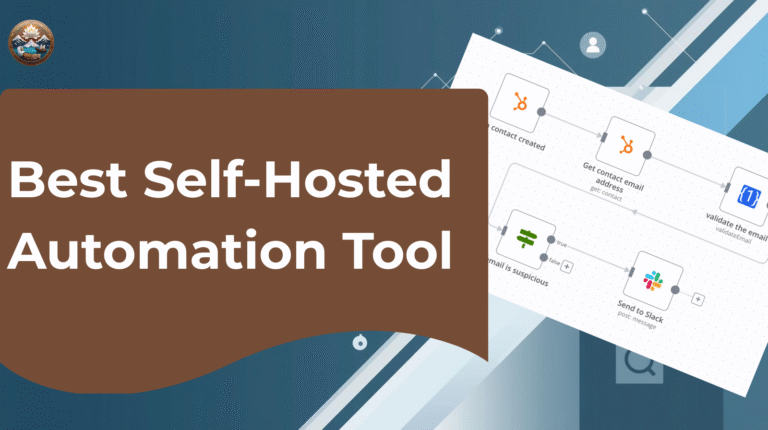
Self-hosted deployment means your customer data never leaves your servers. For businesses handling sensitive information (healthcare, finance, legal), this isn’t just preferable—it’s essential.
Unlimited Workflows
No per-zap pricing or execution limits. Build as many GMB automation workflows as you need without worrying about escalating costs.
Advanced Logic Capabilities
Complex conditional workflows, data manipulation, and custom functions that go beyond simple “if this, then that” automation.
Open Source Flexibility
Full access to source code means custom modifications and integrations that aren’t possible with closed platforms.
Enterprise-Grade Security
Deploy behind your firewall with full security controls rather than trusting third-party cloud platforms with your business-critical automations.
Cost Efficiency
One-time setup cost vs. ongoing subscription fees that can quickly exceed $200+ monthly for complex automation needs.
How to Get Started: Your GMB Automation Roadmap
Ready to transform your Google Business Profile into an automated lead machine? Here’s your step-by-step implementation plan:
Phase 1: Foundation Setup (Week 1)
- Deploy n8n on a VPS (DigitalOcean, AWS, or Google Cloud)
- Set up Google Business Profile API access and authentication
- Connect your primary CRM (HubSpot, Pipedrive, Salesforce)
- Test basic connectivity with a simple “new booking → CRM entry” workflow
Phase 2: Core Automations (Weeks 2-3)
- Build booking confirmation workflow with SMS/email sequences
- Implement review monitoring and response system
- Create missed call trigger with automated follow-up
- Set up lead scoring and assignment automation
Phase 3: Advanced Features (Weeks 4-5)
- Add AI-powered response drafting for reviews and messages
- Implement comprehensive reporting dashboard
- Create behavioral trigger sequences based on customer actions
- Set up A/B testing for different message sequences
Phase 4: Optimization (Ongoing)
- Analyze conversion data and optimize workflows
- Expand to additional GMB locations if applicable
- Integrate with additional tools (accounting, scheduling, inventory)
- Train team on new automated processes
Pro Tip: Start with one core workflow (booking confirmations), perfect it, then gradually add complexity. This approach ensures each automation actually works before building on top of it.
Multiply Conversions, Not Workload
Your Google Business Profile is already working—customers are finding you, reading your reviews, and engaging with your listing. But without automation, you’re only capturing a fraction of the potential revenue.
Think about it this way: every day you delay implementing GMB automation is another day of lost leads, missed opportunities, and competitors getting ahead. The businesses that automate their GMB workflows don’t just work more efficiently—they capture more leads, convert more customers, and grow faster than their competition.
n8n transforms your GMB from a passive directory listing into an active sales engine that works 24/7, never takes sick days, and never forgets to follow up.
The best part? Once it’s set up, these automations run themselves. You get to focus on what you do best—serving customers and growing your business—while the automation handles the repetitive tasks that used to eat up your time.
Ready to Automate Your Success?
Your Google Business Profile has incredible potential, but only if you automate it properly. Every lead that slips through manual processes is money left on the table.
At Bluez Innovations, we specialize in helping SMBs build private, powerful automation systems that connect Google Business Profile, Google Ads, CRM platforms, and communication tools into one seamless growth engine.
Don’t let another lead slip away. Let’s turn your GMB into the automated sales machine it was meant to be.
Contact us today for a free GMB automation audit and discover exactly how much revenue you’re currently missing—and how to capture it automatically.